

Free tool
LINE sticker & emoji resizer
Pick your images and get LINE stickers (370×320), emoji (180×180), a main image and a tab image that meet the specs. Transparency, white outline, numbered files and a ZIP - free, right in your browser.
Nothing is uploaded: everything runs in your browser.
Turn an AI sheet into LINE-ready files
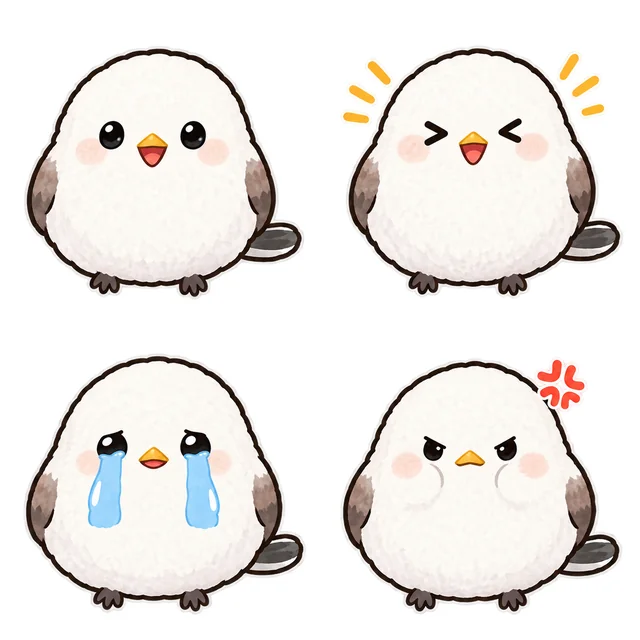
How to resize images for LINE stickers and emoji
Choose images
Pick several PNG, JPG or WebP files. A sheet with many drawings can be split too.
Choose what to make
Stickers, emoji, main image or tab image - add transparency and a white outline if you like.
Download the ZIP
Check the spec results and upload the ZIP with its LINE file names as it is.
LINE sticker and emoji image sizes at a glance
LINE stickers are up to 370×320 px (even width and height) and LINE emoji are 180×180 px. The main image is 240×240 px and the chat-tab image is 96×74 px. All of them are PNG files with a transparent background.
Each image must be 1 MB or smaller. When you upload a ZIP, keep it under 60 MB for stickers and 20 MB for emoji. Images can be scaled down automatically, so use even dimensions to be safe.
This tool converts PNG, JPG and WebP files to the right sizes in one go and bundles them in a ZIP with numbered file names. Everything runs in your browser, so your images are never uploaded.
Common stumbling blocks
- 01The size is oddSticker images need an even width and height. An odd size is scaled down automatically, so this tool rounds up to an even size when it exports.
- 02The background is not transparentLINE images are PNG files with a transparent background. Turn on “Make white background transparent” to clear a white background.
- 03The margin is too small or too largeStickers need about 10 px of margin between the edge and the drawing. For emoji, LINE recommends no margin: draw to the edges of the image.
- 04A file is over 1 MBEach image must be 1 MB or smaller. When you upload a ZIP, keep it under 60 MB for stickers and 20 MB for emoji.
- 05The file names are not numberedImages in the ZIP need numbers in their names. This tool exports 01.png… for stickers and 001.png… for emoji.
LINE Creators Market image specs
Based on the official creation guidelines as of October 2026. Check LINE Creators Market for the latest rules.
- Sticker
- SizeUp to 370×320 (even numbers)Count8, 16, 24, 32 or 40Limits≤ 1MB each (ZIP ≤ 60MB)
- Main image
- Size240×240Count1Limits≤ 1MB
- Chat room tab image
- Size96×74Count1Limits≤ 1MB
- Emoji
- Size180×180Count8-40Limits≤ 1MB each (ZIP ≤ 20MB)
- Animated sticker
- SizeUp to 320×270 (one side ≥ 270)Count8, 16 or 24Limits≤ 1MB, 5-20 frames, ≤ 4 s, 1-4 loops
- Animated emoji
- Size180×180Count8-40Limits≤ 300KB, 5-20 frames, ≤ 4 s, 1-4 loops
More free tools
FAQ
About LINE sticker and emoji image sizes
What size are LINE stickers?
Stickers are up to 370×320 pixels (even numbers), the main image is 240×240 and the chat room tab image is 96×74. All are transparent PNGs of 1MB or less.
What size are LINE emoji?
Emoji are 180×180 transparent PNGs, submitted in sets of 8 to 40. The official guide recommends drawing to the edges without a margin.
Are my images uploaded?
No. Everything happens in your browser; images never leave your device.
Can it remove a white background?
Turn on "Make the white background transparent" and the white connected to the image edges becomes transparent. If the outline has gaps, white inside can disappear too - check on the dark preview.
Can it split one image with many drawings?
Yes. Pick a layout such as 4×3 under "Split one image" and it cuts along the white gaps. Works with sticker sheets made in ChatGPT or Gemini.
How are the files named?
The way LINE Creators Market expects: stickers 01.png…, emoji 001.png…, main.png and tab.png.
What are the sizes of the main image and the chat-tab image?
The main image is 240×240 px and the chat-tab image is 96×74 px. Both are PNG files with a transparent background. A sticker set needs a main image. An emoji set needs the chat-tab image, and the four emoji you pick from the set stand in for the main image.
How many stickers can a set have, and what is the file size limit?
Stickers come in sets of 8, 16, 24, 32 or 40, each image 1 MB or smaller. A ZIP upload must be 60 MB or smaller. Emoji sets have 8 to 40 images, and the ZIP must be 20 MB or smaller. After you request a review you cannot change the number of stickers.
How much margin does a sticker need?
Leave about 10 px between the edge of the trimmed image and the drawing. For emoji, LINE’s guidelines recommend no margin: draw to the edges of the image.
Can I upload the ZIP to LINE Creators Market as it is?
Yes. The images are already at the right sizes with numbered file names, so you can upload the ZIP as it is. The ZIP limit is 60 MB for stickers and 20 MB for emoji.
Does it work on a phone (iPhone)?
It runs in the browser, so there is nothing to install. You can try the resizing in a phone browser, but saving the ZIP and filing the submission are easier on a computer.
Can't draw? Get all 40 anyway.
stampchan's AI turns a photo or a one-line description into a whole set of stickers and emoji of the same character.