

Free tool
LINE sticker splitter & background remover
Cut a sheet of sticker or emoji drawings into single images along the white gaps, remove the white background and get a ZIP that meets LINE's rules. Nothing is uploaded: it all runs in your browser.
Nothing is uploaded: everything runs in your browser.
A split sheet
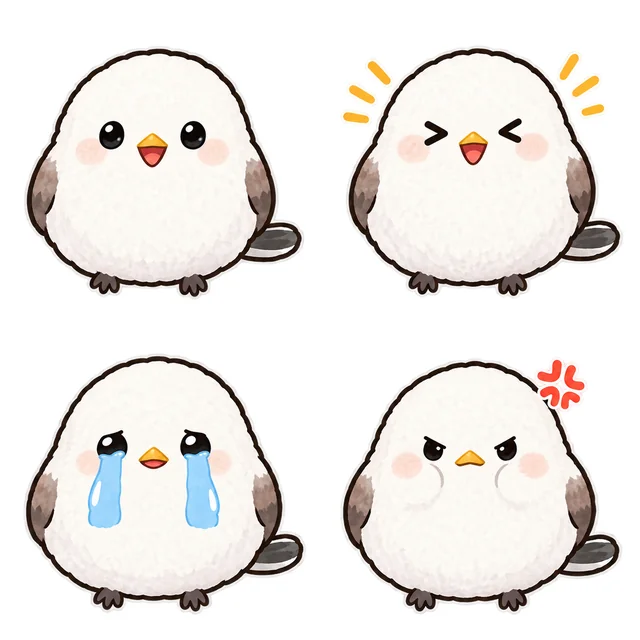
A prompt for a sticker sheet in ChatGPT or Gemini
If you draw with AI yourself, asking like this gives a sheet that splits cleanly here. Pick a character and a layout, then copy it.
Make one image with 8 LINE sticker drawings of the same character, in 4 columns and 2 rows, on a white background.

Character: a round white rabbit with pink cheeks
Captions (one per cell): "Good morning!", "Thank you!", "OK!", "Got it", "Good job", "Nice to meet you", "Sorry", "Good night"

- Leave wide white gaps between the cells; no drawing may cross into the next cell
- Pure white background: no shadows, gradients or frames
- Draw the character with a thick dark outline
- Keep captions short, in bold, easy-to-read letters
- Keep the face, colours and clothes the same in every cell
Before you submit images made with AI, check the terms of the service you used and the LINE Creators Market guidelines.
How to split LINE stickers and remove the background
Upload one sheet
A PNG, JPG or WebP: an image from ChatGPT or Gemini, a scanned drawing, and so on.
Adjust the lines and the background
The sheet splits along its white gaps. Drag a line if it is off, and tune the background threshold and the outline.
Download the ZIP
Check the LINE rule badges and save a ZIP with numbered file names and the main and tab images (free account needed).
Splitting LINE stickers and removing the background: the basics
Sticker drawings from ChatGPT or Gemini often come as many drawings on one image. To submit them to LINE Creators Market, each one has to become its own PNG with a transparent background, at LINE's sizes.
Stickers are up to 370×320 px (even width and height), emoji 180×180 px, the main image 240×240 px and the chat room tab image 96×74 px. All are PNGs with a transparent background, 1 MB or less each.
This tool finds where to split from the white gaps between the drawings, makes the white background that touches the edges transparent, and zips the set at LINE's sizes with numbered file names. It all runs in your browser; nothing is uploaded.
Common mistakes when splitting and removing backgrounds
- 01No gaps between the drawingsCells that touch cannot be found automatically. Ask for wide white gaps in the prompt, or drag the lines into place.
- 02A white character turns transparentIf the outline has gaps, white parts disappear with the background. Lower the threshold, or use a drawing with a closed outline.
- 03The background is not pure whiteLight grey, gradients and shadows stay. Ask for a pure white background with no shadows.
- 04Captions too small to readStickers show small in a chat. Keep captions short and bold.
- 05A count LINE does not acceptSticker sets are 8, 16, 24, 32 or 40. One 4×2 sheet makes 8; one 4×4 sheet makes 16.
LINE Creators Market image specs
Based on the official creation guidelines as of October 2026. Check LINE Creators Market for the latest rules.
- Sticker
- SizeUp to 370×320 (even numbers)Count8, 16, 24, 32 or 40Limits≤ 1MB each (ZIP ≤ 60MB)
- Main image
- Size240×240Count1Limits≤ 1MB
- Chat room tab image
- Size96×74Count1Limits≤ 1MB
- Emoji
- Size180×180Count8-40Limits≤ 1MB each (ZIP ≤ 20MB)
- Animated sticker
- SizeUp to 320×270 (one side ≥ 270)Count8, 16 or 24Limits≤ 1MB, 5-20 frames, ≤ 4 s, 1-4 loops
- Animated emoji
- Size180×180Count8-40Limits≤ 300KB, 5-20 frames, ≤ 4 s, 1-4 loops
More free tools
FAQ
Splitting LINE stickers and removing backgrounds
Can I split images made in ChatGPT or Gemini?
Yes. Upload the sheet and the tool finds the white gaps between the drawings and splits there. For a sheet without gaps, pick the columns and rows for an even grid and drag the lines into place.
How is the background removed?
White areas connected to the image edges become transparent. White inside the character (a white body, highlights in the eyes) stays when an outline closes it. If it does not come out right, adjust the threshold.
Are my images uploaded?
No. Splitting, background removal, resizing and the ZIP all happen in your browser.
Is it free?
Yes. Splitting and previews work without an account; only the ZIP download needs a free account (no card).
What is in the ZIP?
For stickers: 01.png to 40.png, the main image (main.png, 240×240) and the tab image (tab.png, 96×74). For emoji: 001.png to 040.png and the tab image. The main and tab images come from the first drawing; you can pick another.
How many pieces can one sheet make?
Up to 8 columns by 8 rows. LINE takes 8, 16, 24, 32 or 40 stickers and 8 to 40 emoji, so anything past the 40th is left out of the ZIP.
Can I sell AI-made images as LINE stickers?
You can submit them, following the terms of the AI service you used and the LINE Creators Market guidelines. Whether a set passes review is up to LINE.
Can't draw? Get all 40 anyway.
stampchan's AI turns a photo or a one-line description into a whole set of stickers and emoji of the same character.